
Introduction
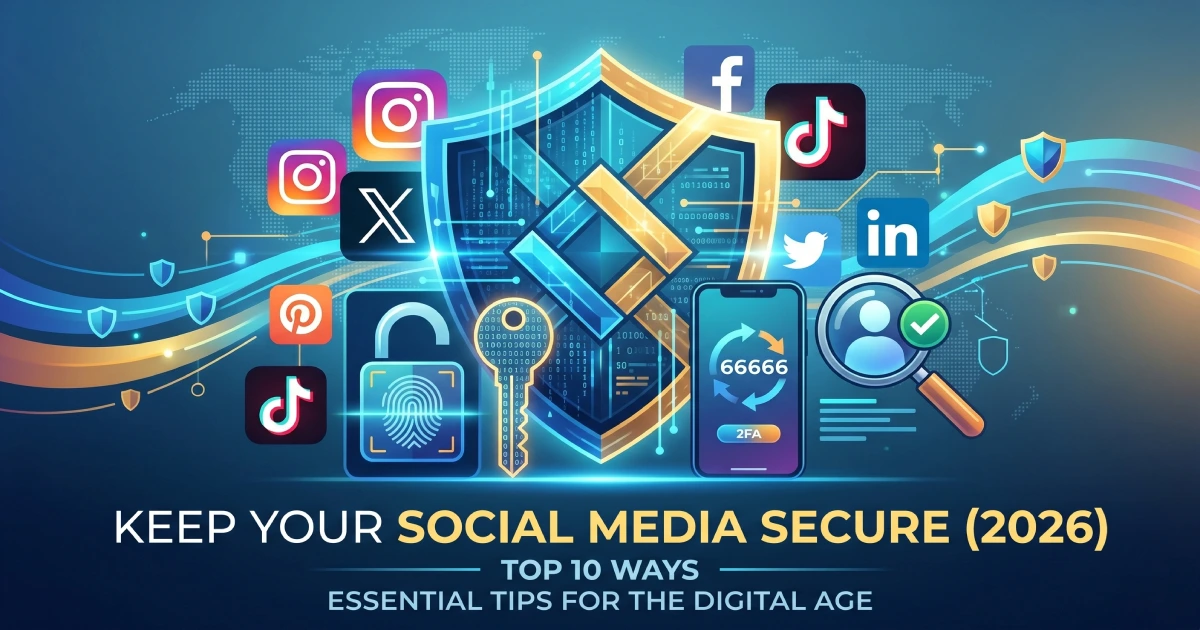
Social media has become a major part of modern life. Whether it’s Facebook, Instagram, X (Twitter), LinkedIn, Snapchat, TikTok, or other platforms, millions of people use social media every day to communicate, share experiences, promote businesses, and stay connected with the world. For many people, social media accounts contain years of personal memories, private conversations, photos, videos, and even business information. Unfortunately, this makes them attractive targets for hackers and cybercriminals. In 2026, cyber threats are more sophisticated than ever. A hacked social media account can lead to identity theft, financial scams, loss of personal data, reputational damage, and even access to other online accounts.
Think about it for a moment. Most people use their social media accounts to log in to websites, shopping apps, and online services. If a hacker gains access to one account, they may potentially access much more. This is why social media security is no longer optional. It has become a necessity.
If you’re new to online security, our guide What is Cybersecurity? A Beginner’s Guide explains the fundamentals of cybersecurity and why protecting your digital identity is so important in today’s connected world. In this article, you’ll learn practical and effective ways to keep your social media accounts secure in 2026.
Why Social Media Accounts Are Targeted by Hackers
Before discussing protection methods, it’s important to understand why cybercriminals target social media accounts.
Hackers often look for:
- Personal information
- Contact lists
- Private messages
- Financial information
- Business-related data
- Login credentials
Many attacks don’t happen because systems are weak. They happen because users unknowingly make simple security mistakes.
If you’d like to understand common attack methods used by cybercriminals, read How Hackers Steal Your Data and How to Prevent It, where we explain the techniques hackers use to access personal information.
1. Use Strong and Unique Passwords
Your password is the first line of defense protecting your account.
Unfortunately, many people still use passwords such as:
- 123456
- password
- qwerty
- their birth date
- their pet’s name
These passwords are extremely easy for hackers to guess.
How to Create a Strong Password
A strong password should:
- Be at least 12–16 characters long
- Include uppercase and lowercase letters
- Contain numbers
- Include special symbols
- Avoid personal information
Example
Weak Password: john123
Strong Password: J#9mL!82xQ@7kP
Another important rule is never using the same password across multiple accounts.
If one account gets compromised, hackers often try the same password on:
- Email accounts
- Banking apps
- Shopping websites
- Social media profiles
Using unique passwords significantly reduces this risk.
2. Enable Two-Factor Authentication (2FA)
Even the strongest password isn’t perfect.
That’s why security experts strongly recommend enabling Two-Factor Authentication (2FA).
With 2FA enabled, logging in requires:
- Your password
- A second verification step
The second verification may include:
- SMS code
- Authentication app
- Security key
- Biometric verification
Real-Life Example
Imagine a hacker somehow obtains your Instagram password.
Without 2FA, they can immediately access your account.
With 2FA, they still need the verification code sent to your device.
This extra step blocks many attacks.
In fact, cybersecurity professionals consider 2FA one of the most effective security measures available today.
3. Keep Your Apps Updated
Many users ignore app updates because they seem unimportant.
However, updates often include critical security fixes.
Hackers frequently exploit vulnerabilities found in outdated software.
Always keep updated:
- TikTok
- Snapchat
- X (Twitter)
- Mobile operating systems
Why Updates Matter
Software developers continuously identify and fix security weaknesses.
Installing updates quickly helps protect your accounts from known threats.
Many of today’s cyber attacks exploit vulnerabilities that already have available fixes.
4. Review Your Privacy Settings Regularly
Most social media platforms provide privacy controls, but many users never review them.
As platforms update their features, privacy settings may change over time.
Important Privacy Settings to Check
- Who can view your posts
- Who can send messages
- Who can find your profile
- Location sharing permissions
- Tagged content visibility
Many people unknowingly expose too much information publicly.
For example:
- Birthdays
- Phone numbers
- Workplace details
- Home locations
These details can help cybercriminals build a profile of potential victims.
To learn more about privacy mistakes people commonly make, check out Top Privacy Mistakes People Make Online (And How to Fix Them).
5. Avoid Suspicious Links and Messages
One of the most common ways accounts get compromised is through phishing attacks.
Hackers often send fake messages pretending to be:
- Friends
- Social media platforms
- Brands
- Customer support teams
Common Examples
“Your account will be suspended. Click here immediately.”
“You’ve won a free iPhone.”
“Verify your account now.”
These messages are designed to create urgency.
Real-Life Scenario
A user receives a message claiming to be from Instagram support.
The message asks them to log in through a provided link.
The page looks identical to Instagram.
The user enters their credentials.
Seconds later, the hacker gains access to the account.
This type of attack remains extremely common in 2026.
Many of today’s most dangerous attacks are discussed in Latest Cybersecurity Threats You Should Know Today.
6. Accept Friend Requests Carefully
Not every profile online is genuine.
Fake profiles are often created for:
- Scams
- Data collection
- Identity theft
- Social engineering attacks
Before Accepting Requests
Ask yourself:
- Do I know this person?
- Does the profile seem authentic?
- Does it have real activity?
- Are mutual connections genuine?
A fake profile can appear convincing.
Many scammers copy photos and information from legitimate users.
Being selective about connections can significantly improve your online safety.
7. Don’t Share Sensitive Personal Information
Oversharing is one of the biggest social media security risks.
Some users unknowingly reveal information that can later be used against them.
Avoid sharing:
- Home address
- Phone number
- Banking information
- Travel plans
- Government IDs
- Password hints
Example
Imagine posting:
“Leaving for vacation tomorrow for two weeks!”
While it may seem harmless, criminals now know your home may be empty.
This demonstrates why personal privacy matters.
For a complete strategy on protecting sensitive information online, read How to Protect Your Personal Data Online (Complete Guide).
8. Log Out from Shared Devices
Many people access social media accounts from:
- Public computers
- School computers
- Office devices
- Internet cafes
After using shared devices:
- Always log out
- Clear saved passwords
- Remove stored login information
Real-Life Example
A student logs into Facebook at a library.
They forget to log out.
The next user opens the browser and gains access to the account.
This simple mistake happens more often than most people realize.
9. Monitor Your Account Activity
Most major social media platforms allow users to review login activity.
You should regularly check:
- Active sessions
- Device history
- Login locations
- Security alerts
If you notice:
- Unknown devices
- Unusual locations
- Suspicious activity
Immediately:
- Change your password
- Log out of all sessions
- Enable 2FA
Early detection can prevent significant damage.
10. Use Trusted Security Tools
Security software adds another layer of protection.
Good security tools can help detect:
- Malware
- Spyware
- Keyloggers
- Phishing websites
Useful Security Features
- Real-time protection
- Safe browsing alerts
- Password management
- Malware scanning
If you’re looking for recommended protection solutions, explore Best Security Tools to Protect Your Data in 2026.
These tools help strengthen your overall cybersecurity strategy.
Protecting Cloud-Connected Social Media Data
Many social media platforms automatically sync photos, videos, and backups with cloud services.
While cloud storage offers convenience, security remains important.
Questions many users ask include:
- Is my data encrypted?
- Who can access my backups?
- What happens if my cloud account is compromised?
To understand these issues in detail, read Cloud Storage Security: Is Your Data Really Safe?
Understanding cloud security helps ensure your data remains protected both online and in storage.
Develop Good Cybersecurity Habits
Strong social media security isn’t about one action.
It’s about developing consistent habits.
Simple habits include:
- Updating passwords regularly
- Reviewing privacy settings
- Enabling 2FA
- Avoiding suspicious links
- Monitoring account activity
These small actions can prevent major security incidents.
For additional practical tips, check out Simple Cybersecurity Habits That Can Save You from Hackers, where we discuss daily habits that dramatically improve online safety.
The Future of Social Media Security
Cybersecurity continues evolving rapidly.
In the coming years, we are likely to see:
- More AI-powered security systems
- Advanced identity verification
- Improved biometric authentication
- Stronger privacy protections
- Better fraud detection technologies
At the same time, hackers will continue developing more sophisticated attack methods.
To understand what cybersecurity may look like in the future, explore Future of Cybersecurity: What Will Change by 2030?
Staying informed about future trends helps users prepare for emerging threats before they become widespread.
Also, read this post:
AI in Healthcare: How Artificial Intelligence Is Transforming Medical Technology
Best AI Tools for Students in 2026 – Study Smarter with Artificial Intelligence
WordPress 7.0 “Armstrong” Released: Everything You Need to Know About the Latest Update
Conclusion
Social media makes it easier than ever to stay connected with friends, family, businesses, and communities around the world. However, the convenience of social media also comes with security risks that should not be ignored.
Fortunately, protecting your accounts doesn’t require advanced technical knowledge. Simple actions such as using strong passwords, enabling Two-Factor Authentication, reviewing privacy settings, avoiding suspicious links, monitoring account activity, and staying informed about cybersecurity threats can dramatically reduce your risk.
Remember, hackers often target the easiest victims. By developing good security habits and remaining aware of potential threats, you can enjoy social media safely while keeping your personal information protected.
In 2026 and beyond, cybersecurity awareness will be just as important as the technology we use every day. Stay alert, stay informed, and take proactive steps to secure your digital life.
FAQs – Best Ways to Keep Your Social Media Accounts Secure
What is the best way to secure a social media account?
The best way to secure a social media account is to use a strong and unique password, enable Two-Factor Authentication (2FA), keep your apps updated, and avoid clicking on suspicious links or messages.
Why is Two-Factor Authentication (2FA) important for social media security?
Two-Factor Authentication adds an extra layer of protection by requiring a second verification step during login. Even if someone steals your password, they cannot easily access your account without the additional verification code.
How do hackers usually gain access to social media accounts?
Hackers commonly use phishing emails, fake login pages, weak passwords, malware, data breaches, and social engineering techniques to steal account credentials and gain unauthorized access.
Is it safe to use social media on public Wi-Fi?
Using social media on public Wi-Fi can be risky because unsecured networks may expose your data to cybercriminals. If you must use public Wi-Fi, consider using a VPN and avoid entering sensitive information.
What should I do if my social media account gets hacked?
If your account gets hacked, immediately change your password, enable Two-Factor Authentication, log out of all active sessions, review account activity, and report the issue to the social media platform’s support team as soon as possible.